
LLM fine-tuning
Introduction
Recently at a startup I was a able to get a hold on a project that uses LLM that is specific for a particular knowledge domain for a company. This is due to no SOTA (state of the art) LLM models are able to satisfy the accuracy of the output when it comes to a very particular knowledge domain.
I equipped myself with some knowledge to be able to fine-tune a LLM model and
stumbled upon unsloth. unsloth is open-source
framework for LLM fine-tuning and reinforcement learning. It also helps
in optimizing fine-tuning pipeline by reducing the memory consumption and time
taken to train LLM.
I won’t be explaining on how to do LLM fine-tuning because unsloth has already
given a wonderful documentation explaining step-by-step process on how to
fine-tune local LLMs, rather today actually I wanted to announce or to give back
to the community a docker setup required to run on DGX Spark. DGX Spark is a
piece of hardware made by Nvidia for you to experiment, fine-tune and inference
LLM model. It has 120GB of unified memory meaning that ram and vram are combined
under this unified memory model. Which means theorectically we can fit 200B
parameter model on this machine.
When I first starting out trying to setup unsloth on DGX Spark, it did not
work right out of the box. There were dependencies issues, incompatible
libraries, it’s docker image is for x86_64 which is incompatible with our
machine that uses aarch64. This whole thing trying to setup on supposedly AI
supercomputer is not user friendly and took me the whole day before I ever get
into actual fine-tuning. So I’ve written a Dockerfile that is proven to be working
on DGX Spark machine.
Get started
git clone to your local machine:
$ git clone https://github.com/raziman18/unsloth-dgx-spark.git
$ cd unsloth-dgx-spark
Create necessary .env file:
This command actually is to match UID and GID of host and container to
prevent mismatch permission issue inside of /app due to mounted volume.
$ echo "UID=$(id -u)\nGID=$(id -g)" > .env
Build the image:
docker compose build
To start the container just run the following commands:
Note that docker-compose.yaml included reasonable default to get started but
of course if you want to configure something just edit the docker-compose.yaml
before running the start command.
docker compose up -d
Finally you can get your fine-tuning journey started on
http://localhost:8888.
The jupyter notebook also already included code to start fine-tuning and how to
export it to GGUF which is a format that is used by
ollama.
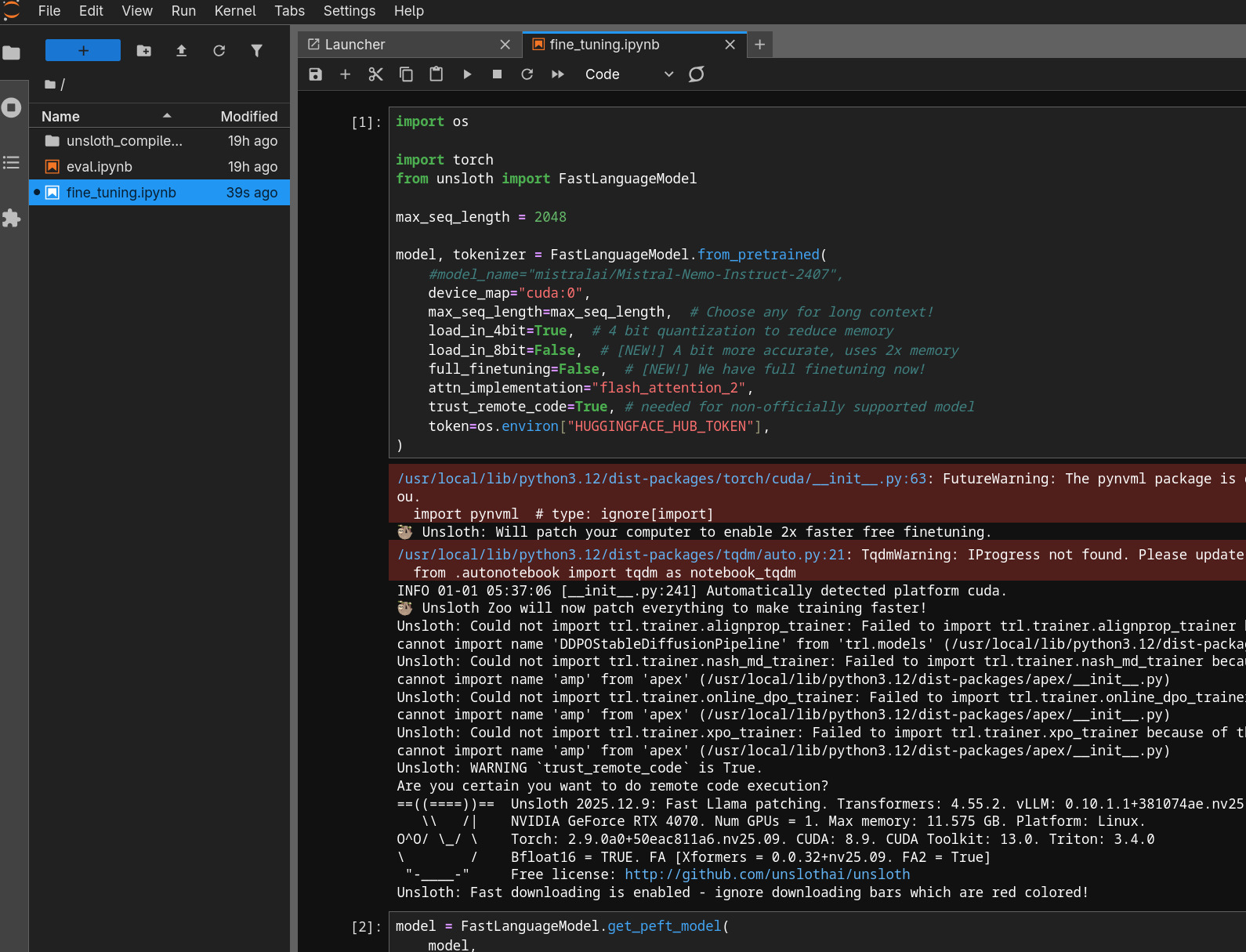
Jupyter Notebook included with fine-tuning and eval scripts